Leaving the Dog Home: Setting Up a Camera That's Actually Useful
Most pet cameras are pointed at the wrong part of the room and set to alert on everything. A practical setup guide for separation anxiety, puppies and long workdays.
A pet camera is one of the few purchases where the unboxing is genuinely fun. You plug it in, open the app, see your dog asleep on the sofa, and feel a small wave of relief. Then you go to work, and by lunchtime you have 47 motion notifications, all of the dog doing nothing, and you stop looking.
The difference between a camera you use for years and one you abandon in a month is almost entirely setup.
Point it at the door, not the bed
Everyone points the camera at the dog's bed because that is where the dog looks cute. But the useful information is at the boundary: the front door, the gate, the hallway. That is where pacing, scratching, and escape attempts show up first.
If your dog has separation anxiety, the first fifteen minutes after you leave are the ones that matter, and they almost always happen at the door. A camera aimed at the door tells you whether your dog settles after ten minutes or cries for two hours. Aimed at the bed, it tells you the dog is not there, which you already knew.
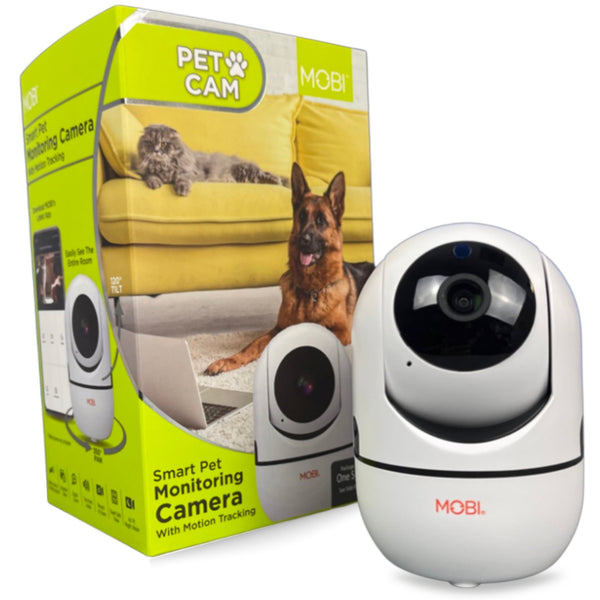
A pan and tilt camera solves this by letting you swing the view during the day. The MobiCam HDX pet camera can be moved remotely from the app, which means one camera can cover the door, the sofa, and the food bowl without remounting anything.
Get the height right
Camera height decides what you can see. Too high and you get a top-down view of fur and floor. Too low and a curious dog investigates the lens with their nose and knocks it over.
The sweet spot is around three to four feet, angled slightly downward, giving you a view of the floor where your dog actually moves rather than the ceiling where they do not.
Fix the alerts before they fix your patience
Default motion sensitivity will notify you about a curtain moving, a sunbeam crossing the floor, and a fly. Within a day, you will mute notifications, which defeats the point.
Turn sensitivity down until alerts only fire for real events: a dog crossing the frame, someone at the door. Then, and this is the part people skip, test it. Walk past the camera and see whether the phone buzzes. Have someone open the door.
Sound alerts are worth keeping on if you are monitoring a puppy or a dog with anxiety. Movement alerts during working hours, once tuned, are less useful than you would think; a sleeping dog moving is not news.
Two-way audio, used properly
The microphone and speaker matter more for pets than for babies, in a specific way. A short, calm "settle" through the speaker can interrupt a barking loop before it escalates into a complaint from a neighbor.
Two cautions. First, some dogs find the disembodied voice alarming, so test it while you are home and can observe the reaction. Second, do not use it to chat with your dog repeatedly through the day; intermittent random voices from a corner of the room can increase anxiety rather than reduce it.
Night vision, and why it is not optional
Cats are nocturnal. Dogs with anxiety are often most active when it is dark and quiet. An infrared mode that gives you a clear black-and-white image after lights out is the difference between knowing and guessing.
Check that the night vision does not produce a bright red glow visible to the animal, or a glare off a nearby wall that washes out the image.
The Wi-Fi details nobody mentions
Pet cameras live in the rooms with the worst Wi-Fi: the basement, the back porch, the corner of the kitchen behind the fridge. If your camera drops its stream every hour, that is a signal problem, not a camera problem.
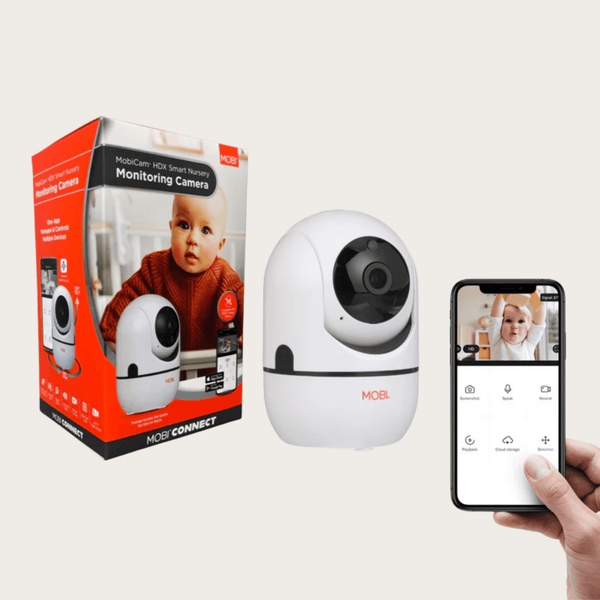
Dual-band support helps here. A 5 GHz network carries more data at shorter range; 2.4 GHz travels further through walls. Being able to connect to either, as the MobiCam HDX Wi-Fi version does, means you can choose the band that works in that specific spot instead of moving the router.
A setup checklist
- Mount at three to four feet, angled down toward the main floor path.
- Frame the door or the gate in at least part of the view.
- Test the stream for a full day before you rely on it.
- Reduce motion sensitivity until it stops crying wolf.
- Test the speaker while you are home.
- Put a familiar item in frame so you can judge the room's layout at a glance.
- Check that the cable is out of chewing reach. A chewed power cable is a genuine hazard.
What to do with what you learn
If your dog paces at the door for forty minutes and then sleeps, you have a mild adjustment problem and a routine that works. If your dog vocalizes continuously for an hour, chews furniture, or drools heavily, that is separation anxiety, and it responds much better to a behavior plan than to more camera footage. Talk to your vet or a veterinary behaviorist, and bring the recordings. A two-minute clip of the first twenty minutes alone is genuinely diagnostic for a professional.
The camera's job is to give you that clip. Everything else is what you do with it.
The hardware, briefly
The MobiCam HDX pet camera does the essentials well: remote pan and tilt so you can follow your pet around the room, two-way audio, night vision, HD streaming, and motion alerts you can tune. The HDX Wi-Fi pan and tilt version adds wider home coverage for the same job, and doubles as a nursery or elderly-care camera if your household needs that too.
Either way, spend twenty minutes on placement on day one. You will get more value from that than from any specification on the box.
Devices mentioned in this article
Keep reading
Wi-Fi vs. Dedicated Baby Monitors: The Trade-off Nobody Explains
One streams to your phone from anywhere. The other works when your internet does not. How to choose between them, and why many families end up wanting both.
Read articleThe Three Cheapest Smart Devices That Prevent Expensive Problems
A leak sensor, a smart plug, and a smart bulb cost less than a takeaway meal between them and prevent the three most common household disasters.
Read articleBuilding a Caregiver Alert Setup Your Parent Will Actually Wear
Medical alert systems fail for one reason: the button stays in a drawer. How to choose placement, who receives the alert, and what to test before you rely on it.
Read articleComparing models? See the full MOBI catalog side by side.
Compare products