The Three Cheapest Smart Devices That Prevent Expensive Problems
A leak sensor, a smart plug, and a smart bulb cost less than a takeaway meal between them and prevent the three most common household disasters.
Smart home shopping has a way of escalating. You start looking at a $13 plug and end up reading about a hub, a protocol, and a subscription. Most households do not need any of that. Three devices, none of them complicated, cover the majority of what people actually want from a connected home: catching a disaster early, controlling something from bed, and coming home to a light that is already on.
Water leak sensor: the one that pays for itself
A burst supply line or a failed water heater is one of the most common and most expensive home insurance claims there is. The damage is rarely caused by the leak itself. It is caused by the eight hours before anyone noticed.
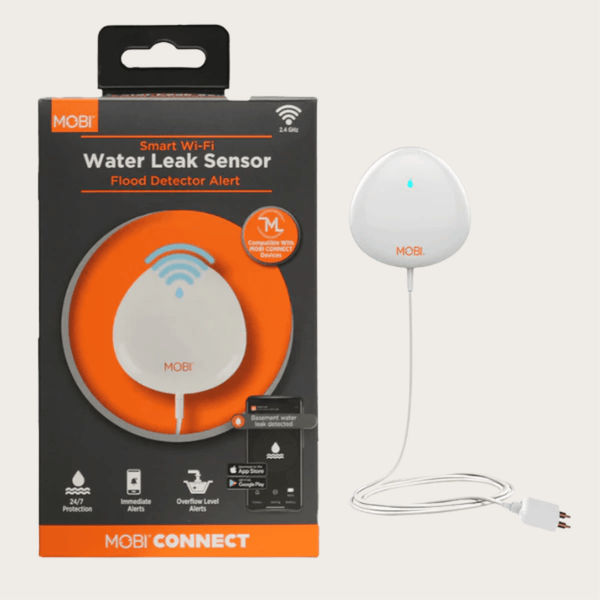
A leak sensor sits on the floor near the water heater, under the kitchen sink, behind the washing machine, or in the basement. When moisture bridges its contacts, it sends a notification to your phone and sounds an alarm at the unit.
That is the whole product. There is no camera, no subscription, and nothing to configure beyond connecting it to your Wi-Fi and naming it.
The MOBI water leak sensor works this way: Wi-Fi connected with no hub, a loud built-in alarm in addition to app alerts, battery powered, and small enough to slide under a cabinet. At the price of a couple of pizzas, it is the single best value item in the smart home category.
Placement advice that matters: put one within a few feet of the water heater, one under the sink, and one wherever the main shutoff valve lives. Water follows gravity, so a sensor on the floor near the appliance catches the leak before it spreads to the room below.
Smart plug: the retrofit that makes anything smart
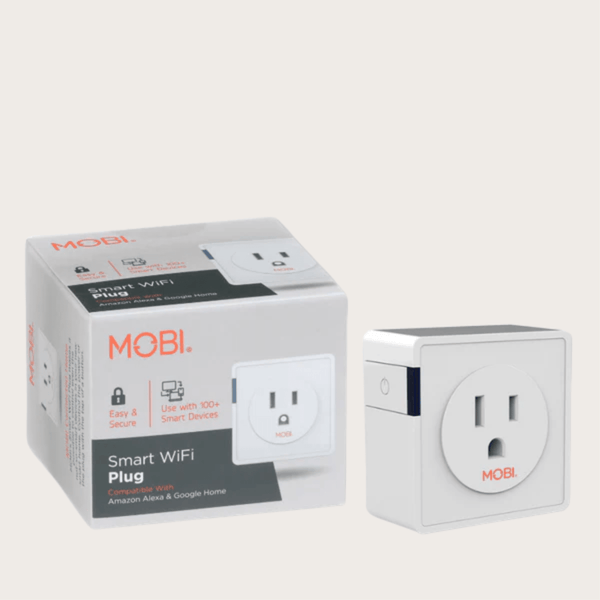
A smart plug turns an ordinary lamp, fan, space heater, or holiday light string into something you can control from your phone. No new fixture, no electrician, no hub.
The two things to know before buying are amperage and outlet clearance. A 15-amp plug, like the MOBI smart Wi-Fi plug, handles heavier loads such as a space heater or a window air conditioner. A 10-amp plug does not, and using one on a high-draw appliance is a fire risk. Check the appliance's rating before you plug it in.
Clearance matters because these devices occupy an outlet. A compact plug leaves the second socket usable, which matters more than it sounds in a kitchen with two outlets total.
The genuinely useful automations are unglamorous: a lamp that turns on at sunset so the house does not look empty, a fan that runs for two hours after bedtime instead of all night, a holiday tree that does not stay lit until morning.
One honest caveat: a smart plug is not a substitute for an electrician or for a device's own safety certification. Do not use one on anything that should not be switched off unattended, like a medical device.
Smart bulb: light that fits a routine
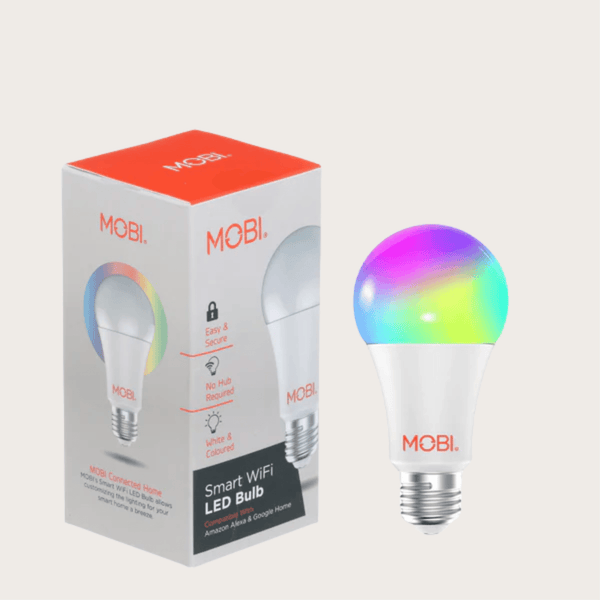
A color LED bulb replaces a normal bulb and connects to Wi-Fi directly, with no hub and no bridge. You get brightness control, color, and schedules from an app.
The most useful applications are practical rather than decorative. A dim warm amber light at 10 percent in a hallway at night is enough to see by and does not wake a household. A bulb that fades on at 6:30 a.m. in a child's room is a gentler wake-up than an alarm. A cool white light at full brightness in a home office beats squinting under a warm lamp.
The MOBI smart bulb covers millions of colors, dimming, schedules, and timers, and connects over Wi-Fi without a hub. It is the same price as a couple of ordinary LED bulbs.
For anyone who has ever put a baby to bed and then needed to cross a dark hallway, this is the device that solves that specific problem for the price of lunch.
What you do not need
You do not need a hub for any of these three. You do not need a subscription for local control, notifications, or schedules. You do not need to replace your router, and you do not need to plan a full ecosystem before buying one sensor.
The pattern that works: buy one device, connect it, live with it for a week, and only then buy the next. Smart home purchases go wrong when people buy six devices in one order and discover that the app they chose does not suit how they think.
The practical order
Start with the leak sensor. It is the one device whose absence can cost thousands, and it requires nothing from you after setup.
Add the smart plug next, once you have a specific lamp or fan you want on a schedule.
Add the bulb last, when you have a light in a hallway or bedroom where the schedule would genuinely improve your day.
All three are in the MOBI app alongside the cameras, the scale, and the thermometer, which means one place to look rather than four. And none of them require you to rewire anything.
This article is general information. For electrical work beyond plug-in devices, use a licensed electrician.
Devices mentioned in this article
Keep reading
Wi-Fi vs. Dedicated Baby Monitors: The Trade-off Nobody Explains
One streams to your phone from anywhere. The other works when your internet does not. How to choose between them, and why many families end up wanting both.
Read articleLeaving the Dog Home: Setting Up a Camera That's Actually Useful
Most pet cameras are pointed at the wrong part of the room and set to alert on everything. A practical setup guide for separation anxiety, puppies and long workdays.
Read articleBuilding a Caregiver Alert Setup Your Parent Will Actually Wear
Medical alert systems fail for one reason: the button stays in a drawer. How to choose placement, who receives the alert, and what to test before you rely on it.
Read articleComparing models? See the full MOBI catalog side by side.
Compare products