Wi-Fi vs. Dedicated Baby Monitors: The Trade-off Nobody Explains
One streams to your phone from anywhere. The other works when your internet does not. How to choose between them, and why many families end up wanting both.
Two baby monitors, both with a camera, both around the same price. One has a screen in the box. The other has an app. Every review you read says the app one is "smarter" and the screen one is "simpler", and neither sentence helps you decide.
The real difference is not smart versus simple. It is what happens when your internet is down, your phone is on the charger downstairs, and your baby is asleep upstairs.
How the two actually work
A Wi-Fi camera connects to your home network and streams video to a phone app, usually through a cloud service. Because the stream is reachable over the internet, you can watch from work, from a restaurant, or from a hotel on the other side of the country. You can also share access with a grandparent.
A dedicated monitor pairs a camera directly to a handheld screen over its own radio link. There is no cloud, no account, no app, and no dependence on your router. The screen lives on the kitchen counter and it works as long as both units have power.
That is the whole architecture. Everything else follows from it.
The case for Wi-Fi
Remote viewing is the headline, and it is genuinely transformative for a certain kind of household. If one parent travels, if grandparents help from another state, or if you simply want to check in during a workday, a Wi-Fi camera is the only option that does it.
Wi-Fi cameras also tend to have better app features: motion and sound alerts with adjustable sensitivity, recorded clips, temperature and humidity readouts, motion tracking, and multiple cameras in one view. The MobiCam Pro is a good example of what the category can do now: Full HD pan and tilt, color night vision, motion tracking that follows a moving baby, and built-in temperature and humidity sensors, all in one app.
The cost of those features is dependency. Your phone becomes the monitor, which means your phone has to be charged, nearby, unlocked, and running the app. Your router has to be working. And the camera has to be somewhere your Wi-Fi reaches, which is not always the corner of a nursery in an old house with thick walls.
The case for a dedicated unit
The dedicated monitor's advantage is boring and decisive: it works when everything else fails. Power cut takes out the router but not the battery-powered parent unit. Internet outage does not touch it. Your phone dying at 7 p.m. does not matter.
It also removes a specific anxiety that a lot of parents describe and few reviews mention: the phone-as-monitor problem. When the monitor lives on your phone, you check it constantly, and the phone is also the thing that shows you news, messages, and work email at 2 a.m. Separating the monitor from the phone makes it easier to put the phone down.
Privacy is a fair consideration too. A dedicated link keeps video inside the house. That is not a knock on any particular brand; it is simply a different architecture, and some families prefer it.
The trade-off is that a dedicated monitor cannot follow you to the office. If you want to look in from outside the home, it will not do that.
The things that actually matter in either category
Resolution matters less than people think. 1080p is plenty at nursery distance; what matters more is how the camera handles low light, because most of your viewing happens in the dark.
Night vision quality separates good cameras from mediocre ones. Basic infrared gives you a black-and-white image with bright eyes. Better implementations give you a usable image of the whole crib, not just a blob in the middle.
Pan and tilt is a bigger deal than resolution. A fixed camera that happens to point two inches off the crib is a useless camera. Being able to move the view from your phone, or a wide enough field of view in the first place, solves the setup problem that most people hit on night one.
Two-way audio is the feature parents use more than any other. Being able to say "it's okay, I'm right here" without walking upstairs is worth the entire purchase.
Temperature and humidity sensors are quietly useful. A nursery that drifts to 78°F overnight is a nursery where everyone wakes up.
Setup mistakes that ruin a good camera
- Mounting the camera at eye level across the room, so the crib is at the bottom edge of the frame. Aim down and closer.
- Placing it within a toddler's reach. Once a child can stand, they can reach a shelf.
- Running cables within reach of the crib. Route cords well away from the sleeping area, always.
- Putting a Wi-Fi camera at the far end of the house from the router and assuming it will be fine.
- Pointing the camera at a wall the crib does not touch.
A combined approach worth considering
Plenty of families land on both: a dedicated unit for the room-to-room, always-on job, and a Wi-Fi camera for check-ins and recording. If you are starting from scratch and can only buy one thing, buy based on the question you will ask most often.
If the question is "is the baby okay right now, from the kitchen?", a dedicated unit answers it with zero friction. If the question is "is the baby okay while I am at work?", only a Wi-Fi camera answers it at all.
The MOBI cameras, briefly
The MobiCam DXR M1 is the dedicated option: a wireless camera with an included parent display, night vision, two-way audio, a private link independent of Wi-Fi, and the ability to add cameras for a second room.
The MobiCam Pro is the connected option, with Full HD pan and tilt, color night vision, motion tracking, two-way audio, and temperature and humidity readings in the app.
The MobiCam MP is the value connected option, at 3MP with dual-band Wi-Fi so it can join either a 2.4 or 5 GHz network, plus two-way audio and infrared night vision.
The one rule that matters most
Wherever the camera goes, keep the crib clear. No pillows, no blankets, no soft toys, no monitor clipped to the rail, and no cords within reach. A camera is a tool for peace of mind; it should never add a hazard to the room it watches.
This article is general information, not medical advice. Follow current safe sleep guidance and your pediatrician's advice.
Devices mentioned in this article
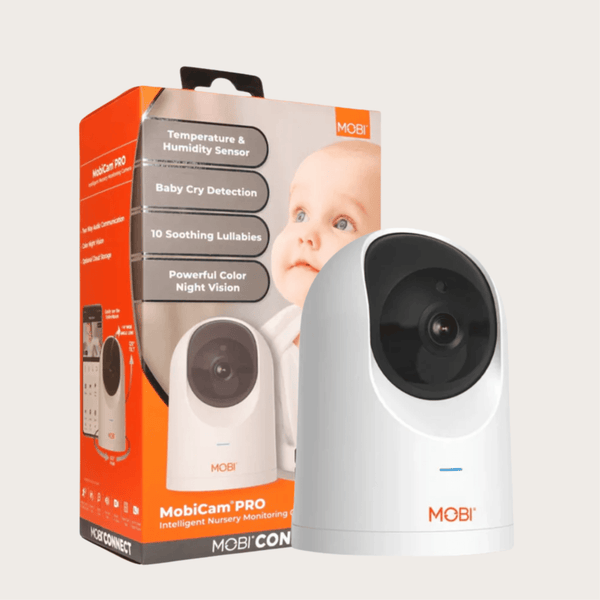
MobiCam Pro Smart Baby Monitor Camera — Full HD Pan & Tilt with Temp & Humidity
From $49.99
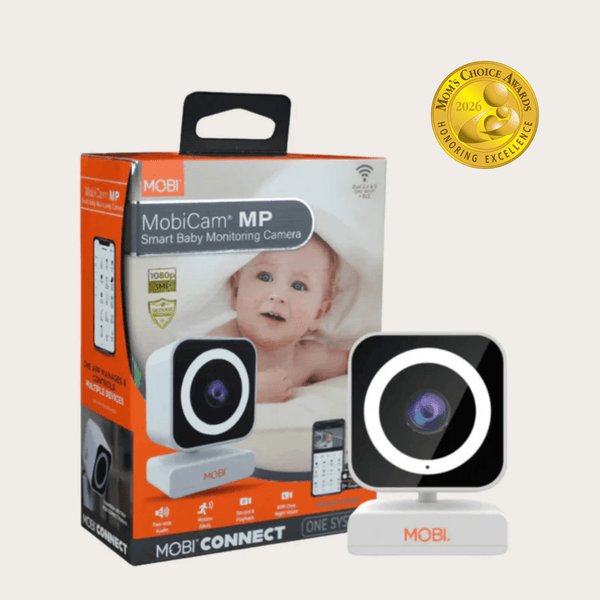
MobiCam MP Smart Baby & Home Monitor — 3MP 1080p, Dual Band Wi-Fi
From $29.99
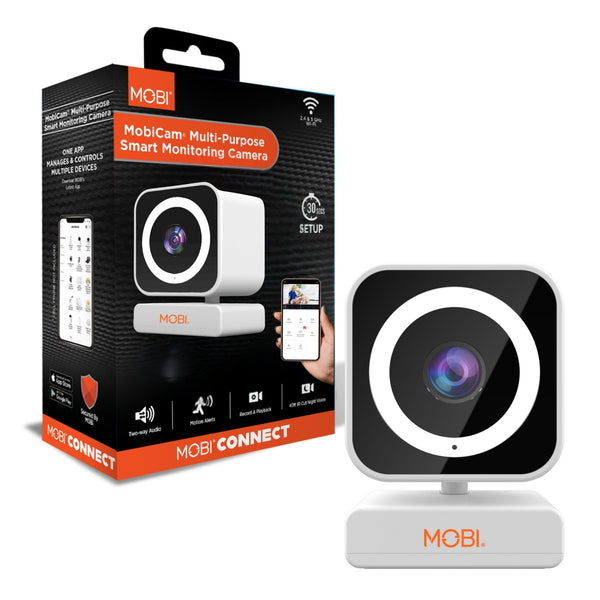
MobiCam MP Smart Nursery & Home Camera — 3MP 1080p, Dual Band Wi-Fi
From $29.99
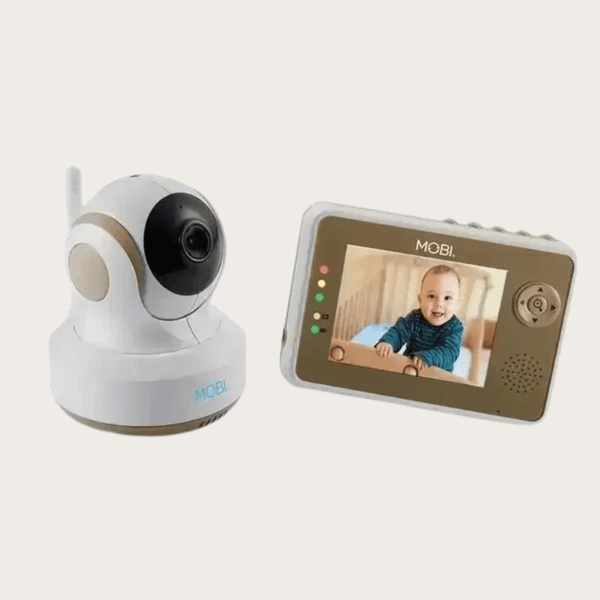
Wireless Baby Monitor Camera — Night Vision & Two-Way Audio
$89.99
Keep reading
Leaving the Dog Home: Setting Up a Camera That's Actually Useful
Most pet cameras are pointed at the wrong part of the room and set to alert on everything. A practical setup guide for separation anxiety, puppies and long workdays.
Read articleThe Three Cheapest Smart Devices That Prevent Expensive Problems
A leak sensor, a smart plug, and a smart bulb cost less than a takeaway meal between them and prevent the three most common household disasters.
Read articleBuilding a Caregiver Alert Setup Your Parent Will Actually Wear
Medical alert systems fail for one reason: the button stays in a drawer. How to choose placement, who receives the alert, and what to test before you rely on it.
Read articleComparing models? See the full MOBI catalog side by side.
Compare products